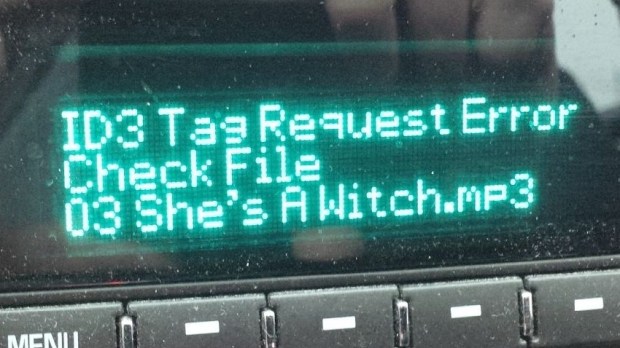
GETTING MORE TALE #563: ID3 Request Error – Check File
Ever seen one of these errors on your media player of choice?
Let’s start by talking about what an ID3 tag is, in case you didn’t know. If you play music files, then you use ID3 tags. These tags contain the metadata about your song files. You know that info that automatically pops up on your player? Artist, album, cover art…that’s from your ID3 tags. There is free software out there to edit your songs’ tags, although such features are bafflingly not standard in Windows. I use a combination of two: Audio Shell, and Mp3tag. They have different user interfaces, but more or less have all the features you need.
Sometimes my Sony Walkman mp3 player can’t pick up the cover art, but that is rare. The tracks will still play. The error that has caused me problems for years comes from my factory installed GM car stereo. Otherwise, it’s a great player, but sometimes it hits an ID3 tag it doesn’t like and I get an error message. It reads:
ID3 Tag Request Error
Check File
When I get this message, the songs will not play. I first ran into that issue about four years ago. When it does happen, it’s usually on something that I recorded with Audacity, like vinyl or cassettes. Audacity can write the ID tags for you when you export the files to mp3. The error message here doesn’t give much detail. It’s not the cover art; that was the first variable I checked. I’ll get this error message with or without cover art. It’s frustrating when you can’t play an album in the car, and only the car.
This baffled me for years. “Check File”, eh? I did – many times. Changing this, changing that. Writing the ID3 tags with different software. Nothing worked. Googling solutions wasn’t very helpful.
I recently came across the solution, and it was so obvious I don’t know why I didn’t think of it earlier. Probably because I was looking for something easier.
Just erase all the ID3 tags – all of them – and start from scratch. Both Mp3tag and Audio Shell have easy features to do exactly this. Most ID3 editing programs will allow you to completely clean all tags from the file. Once that is done, start over, manually. By hand, enter the song titles, artist, album title, artwork and (very importantly) the track sequence. You’ll want to make sure you get that right. Once you’ve done that the mp3 file will play just fine, as seen below.
Enjoy the music!


Before & After

 mikeladano.com